Node Update
This guide describes how to upgrade a running Primus Network Attestor Node on Phala Cloud.
Latest version
- Docker tag:
0.1.1-release
Supported chains
| Chain | ChainId | Task Contract Address | Support |
|---|---|---|---|
| base-mainnet | 8453 | 0x151cb5eD5D10A42B607bB172B27BDF6F884b9707 | Yes |
| base-sepolia | 84532 | 0xC02234058caEaA9416506eABf6Ef3122fCA939E8 | Yes |
Update steps
-
Open the Phala Dashboard and select the Primus node you want to upgrade.
-
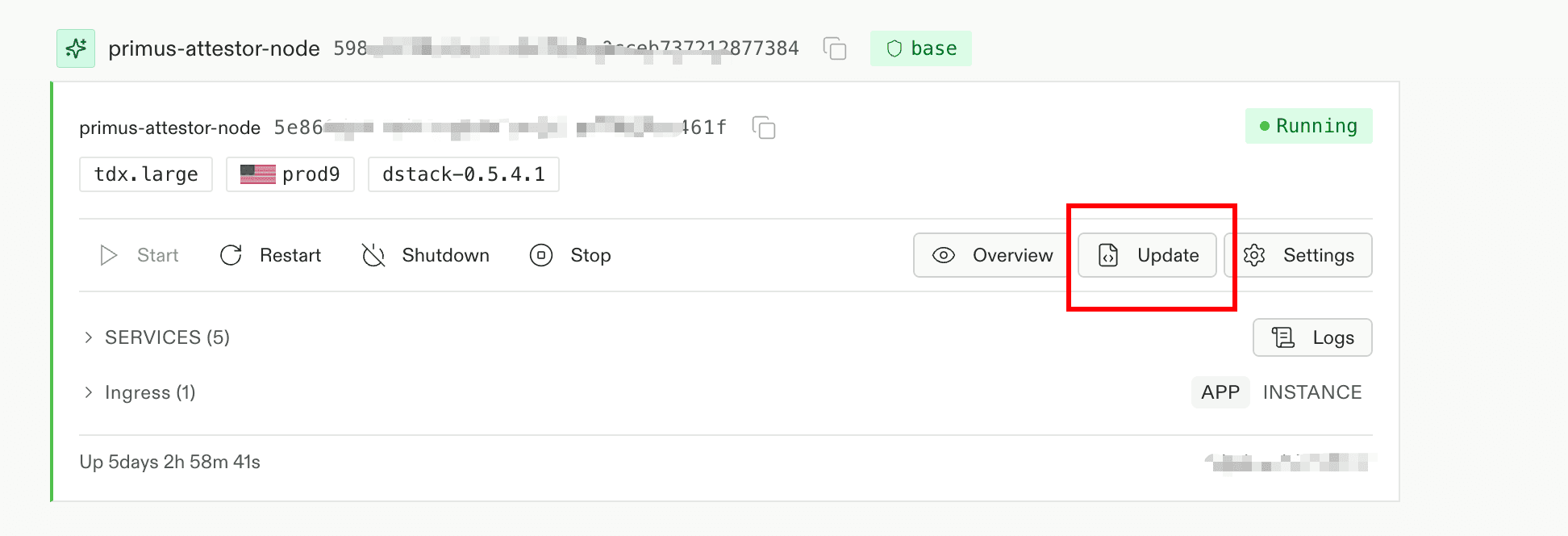
Click Update.
-
Open
docker-compose.yamlfromprimus-network-startup, copy its contents, and paste them into thedocker-compose.yamlfield.
-
Open the Encrypted Env tab, fill in the environment variables, then click Save:
PRIVATE_KEY— Must start with0x. This key represents the node owner, signs reports, and is also used during node registration.NETWORK_CHAINS— A single-line minified JSON array (no line breaks). Each item must containrpcUrl,taskContractAddress, andchainId(see Supported chains).IMAGE_TAG— Set to the Docker tag specified in Latest version.
Example (Base mainnet):
[{"rpcUrl":"https://mainnet.base.org","taskContractAddress":"0x151cb5eD5D10A42B607bB172B27BDF6F884b9707","chainId":8453}]If you edit JSON in expanded form, minify it first (for example with JSON Minify ).

-
After clicking Save, the CVM restarts. When the status returns to
Running, the update is successful and the node is healthy.
Register and stake if needed
If this node has not been staked yet, complete registration and staking after the update. Follow Node Setup > Node management > Register and stake.